How to Start an Etsy Shop for Digital Products in 2025
If you’re looking to start selling digital products without changing out of your pajamas this year, then Etsy just might be the right move for you.
Etsy is NOT a new name in the online business world, but it often gets the side eye because it’s for specific types of products (i.e. gorgeously designed artisan candles, cute hand crocheted items and other artisanal goods) and while these things are absolutely sold on the platform, it’s ALSO a hub for digital products.
Gorgeous spreadsheets, cute printable planners, done-for-you downloadable homeschool materials, you name it – whatever you can think of, you can sell here.
How do I know this? I have multiple shops on Etsy that ONLY sell digital products. Honestly, I’ve NEVER sold a physical product in my life.
Etsy really is a thriving marketplace for side hustlers that are just starting out due to the fact that it has a built-in audience. This gives you an opportunity to jump ahead a bit in the digital business game because you don’t have to start from zero.
In this post, I’m going to walk you through getting started with your digital product shop on Etsy. From finding your niche to posting your listing we’re going to walk through EVERYTHING you need to do to get set up.
But let’s get one thing clear first: Etsy isn’t magic. While it can give you a headstart by allowing you to access their engaged audience, it’s not a get-rich-quick scheme. Nor is it passive income. You won’t post three products today and wake up tomorrow a millionaire.
It’s simply a beginner-friendly way to sell digital products, especially if you’re starting with nothing. Etsy brings the audience, but you still NEED to bring the value.
Ready to get set up for success?
How to Start an Etsy Shop
1. Narrow Down Your Nice (Yes, Still a Thing)
Your niche is the overall theme or focus of your Etsy shop — the type of products you sell and the kind of person you’re selling them to. It’s what gives your shop a cohesive feel and helps both your customers and Etsy’s algorithm understand what you’re all about.
Think of your niche as the thread that ties everything together. It could be a homeschool shop with printables for grades K–3, or a spiritual lifestyle shop that sells moon phase trackers, affirmation cards, and t-shirts. The products can vary — as long as they serve the same type of buyer and feel like they belong in the same shop.
Your niche is not just about the products — it’s about the person you’re creating for. And that clarity matters.
You don’t need to chase some magical gap in the market. Just pick a niche that:
- You actually enjoy
- You’re willing to create a lot of products for
- And that makes sense to the audience you want to attract
And yes, if you’re multi-passionate (hi, same), you can have more than one shop. Just don’t try to launch everything at once. Start with one, build it up, and go from there.
Now here’s the key: each shop should have one clear niche.
If you’re multi-passionate (hi, same), that doesn’t mean you’re stuck. You can explore multiple niches — just do it in separate shops. One niche per shop keeps your branding clean, your messaging consistent, and your customer experience smooth.
Don’t try to build everything at once. Start with one niche and one shop. Grow it, learn what works, and then think about adding another. You’ll build faster — and with way less chaos.
2. Define Your Audience
Once you’ve picked your niche, it’s time to get clear on your audience — the real humans who will actually buy your stuff.
Knowing your audience makes everything easier: product creation, branding, writing listings, choosing colors, even deciding what fonts to use. The better you understand who you’re selling to, the better you can speak their language, solve their problems, and get them clicking “add to cart.”
Ask yourself:
- Who is this person?
- What do they care about?
- What’s going on in their life that makes them need this product?
- What kind of style, vibe, or tone will appeal to them?
Let’s say your niche is homeschool printables. Your audience might be busy moms juggling multiple kids, looking for quick, done-for-you educational resources. They probably want clean, age-appropriate designs, not overly cutesy or cluttered.
Or maybe you’re selling digital planners for spiritual wellness. Your audience might be intuitive, creative types who love moon phases, journaling, and calming, earthy aesthetics. Their vibe is totally different — and your shop should reflect that.
You don’t need a full-blown customer avatar worksheet or a stack of market research here. Just get specific enough that you can picture them in your head when you create products or write product descriptions.
Knowing your niche gives your shop direction and soul.
3. Design Your Brand
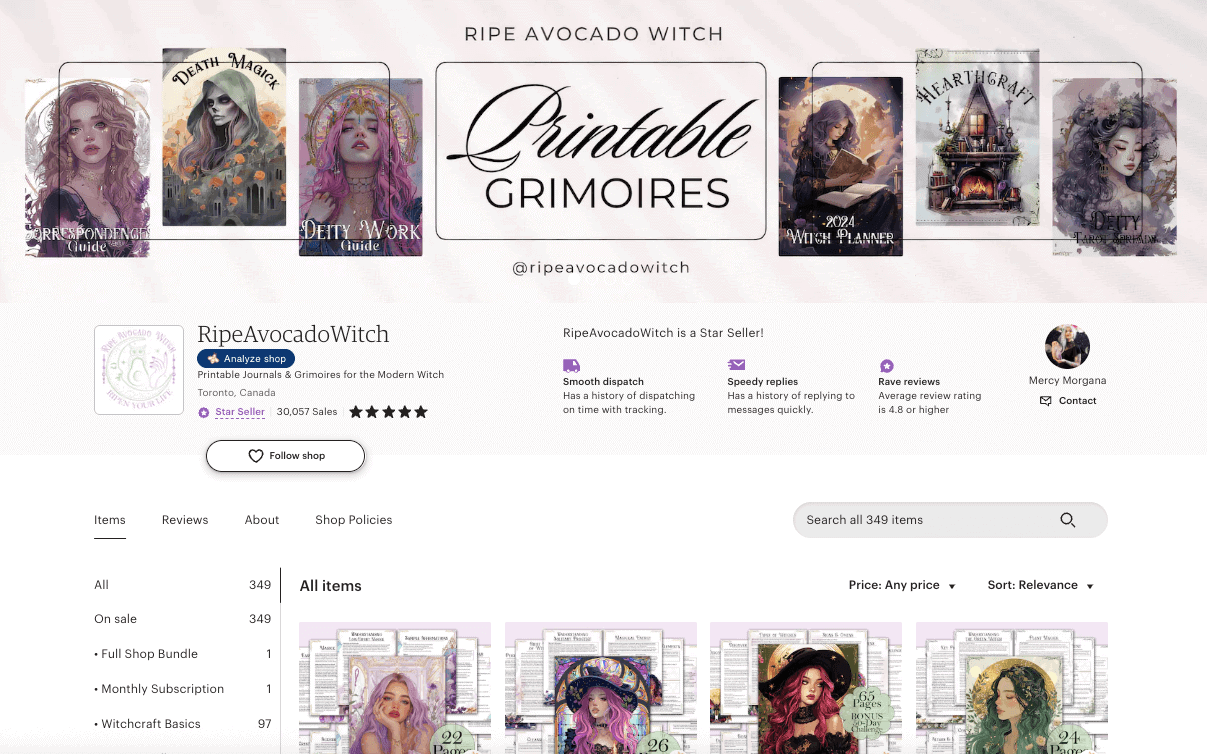
Your brand is more than just a logo — it’s the personality of your shop. It’s how your business looks, feels, and sounds. And yes, even on Etsy (where you technically don’t own the platform), branding still matters.
A strong brand helps your shop feel professional, polished, and trustworthy. It gives your products a cohesive look and makes you instantly recognizable — whether someone’s scrolling search results or opening one of your digital downloads.
Before you start designing products, get clear on a few brand basics:
- Shop name: Something that fits your niche and appeals to your audience. Think Little Learner Printables for homeschool moms or Lunar & Sage for spiritual vibes.
- Logo: Keep it simple — a clean text-based logo or icon works just fine. Don’t overcomplicate it.
- Color palette: Choose 2–4 main colors that match the tone of your niche (soft neutrals, moody purples, vibrant primaries — whatever fits).
- Fonts: Pick 1–2 go-to fonts — one for headings and one for body text. Bonus points if they’re easy to read.
- Visual aesthetic: This is the “look and feel” of your shop. Is it minimalist and modern? Bright and playful? Earthy and handmade? Choose something that matches your products and your audience.
This isn’t about being a graphic designer. It’s about being consistent. Branding gives your shop direction, keeps your products looking cohesive, and makes your life easier when creating listings, thumbnails, and product files.
Pro tip: If you’re planning to grow beyond Etsy, consider buying a matching domain name and setting up a basic website or landing page. It gives you a home base, a way to collect emails, and the flexibility to sell directly in the future — on your terms.
4. Create Your Products
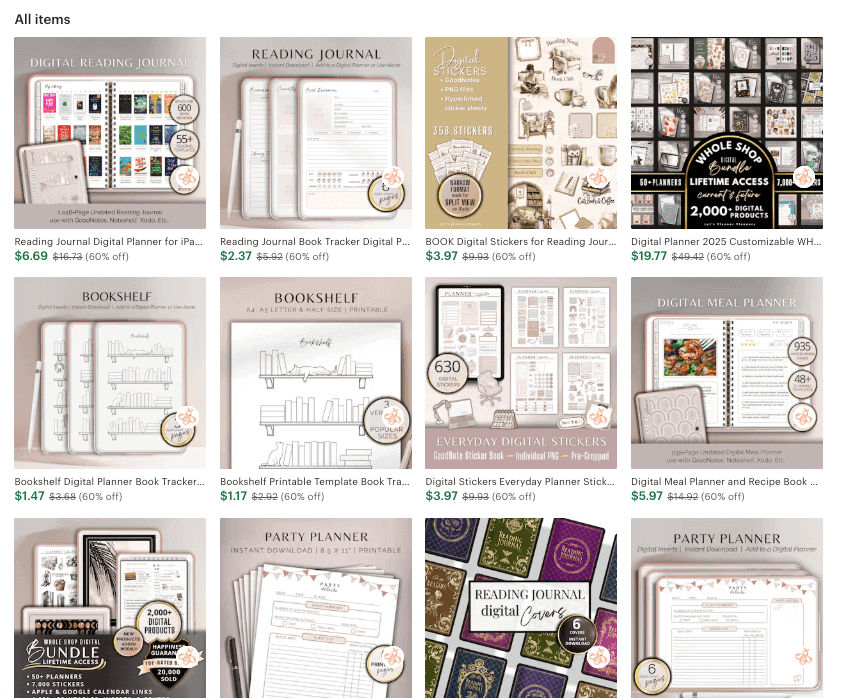
When it comes to launching your Etsy shop, one or two listings isn’t going to cut it. You’re showing up in a marketplace full of shops with reviews, sales, and social proof — and you have none of that yet. So your goal is to come out of the gate with a shop that looks polished, intentional, and ready to serve.
Aim to launch with around 10 listings, but have up to 30 products created and ready to go. Why? Because Etsy gives new shops a little boost in visibility during those early weeks, and you want to keep feeding the algorithm without scrambling to create content in real time.
By launching with 10 and slowly rolling out the rest, you can:
- Make your shop look full and trustworthy right away
- Give Etsy more content to work with over time (which helps with ranking)
- Stay consistent in posting without burning out
- Build up your review base as those early sales trickle in
Batch creation is your best friend.
Instead of working on one product start to finish, try creating in stages — design a few products at once, then knock out mockups, titles, tags, and descriptions in one go. This workflow is faster, more efficient, and way less chaotic.
If you’re short on time or still sharpening your design skills, PLR (Private Label Rights) content can help speed things up. These are pre-made templates you can edit and brand as your own — perfect for digital planners, printables, trackers, and more. Just make sure you customize them well so they match your niche and don’t look generic.
You don’t need 100 products to start. But you do need a plan, a batch, and a consistent rollout strategy. Set yourself up for success from day one — and keep the momentum going.
5. Design a Deliverable PDF
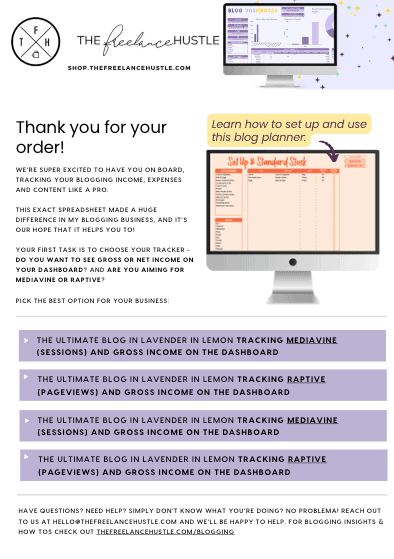
For digital products, your PDF isn’t just a file — it’s a key part of the product experience. It’s how you deliver your items to your customers and reinforce your brand all in one go.
When you sell digital downloads, Etsy has file size limits that might make it tricky to upload large bundles directly. Instead of letting that hold you back, store your products on Google Drive or another cloud platform, and then link to them inside a well-designed, branded PDF. This method is cleaner, more consistent, and makes it easier for you to manage large files.
What to include in your PDF:
- A direct download link: Make it easy for your customer to get their product with a simple, clickable link.
- Instructions for using the product: If it’s something that needs explanation (like editable templates or printables), include a brief, clear set of instructions.
- Branding: This is key. Your PDF should feel like an extension of your shop. Include your logo, stick to your color palette, and use your go-to fonts to make sure it’s consistent with everything else.
- Links to your website or social media: Make it easy for customers to connect with you outside Etsy, don’t forget to link your website!
- An optional freebie offer: Use this as an opportunity to grow your email list. Include a special, exclusive offer like a discount or a free download in exchange for signing up.
- A thank-you and review request: Always thank your customers for their purchase, and don’t be shy about asking for a review. It’s a great way to build credibility!
For designing, tools like Canva or Google Slides are perfect. Keep your PDF clean, simple, and on-brand. Think of this as your product’s first impression — make it count!
6. Create a Freebie
If you’re serious about building a sustainable business beyond Etsy, you need an email list. And the best way to grow it? Offer a freebie (also known as a lead magnet) in exchange for email sign-ups.
A freebie is a simple digital product related to your niche — something your ideal customers will find valuable. This could be a printable checklist, a template, a guide, or even a mini eBook. Whatever it is, it needs to be easy to deliver and closely aligned with the products you’re selling.
Here’s how you set it up:
- Create a freebie that ties into your niche and appeals to your target audience. For example, if you sell homeschool printables, offer a free week of lesson plans or a printable calendar to get them started.
- Set up an email list with a tool like Flodesk, MailerLite, or ConvertKit. These platforms are easy to use and great for beginner email marketers.
- Link to the freebie in your deliverable PDF. When customers download their product, add a call to action inside the PDF that encourages them to sign up for your list to grab the freebie. Make sure it’s clear, enticing, and valuable!
This strategy helps you turn Etsy customers into your own audience — people who you can nurture over time and market to beyond Etsy. Plus, by providing a free, useful resource, you’re starting to build trust and credibility before they even make a purchase.
Starting your email list early means you’re creating a more sustainable business that isn’t reliant solely on Etsy traffic. Plus, once you have your email list, you can easily promote new products, sales, or even expand into other platforms like your own website.
7. Write Your Listings
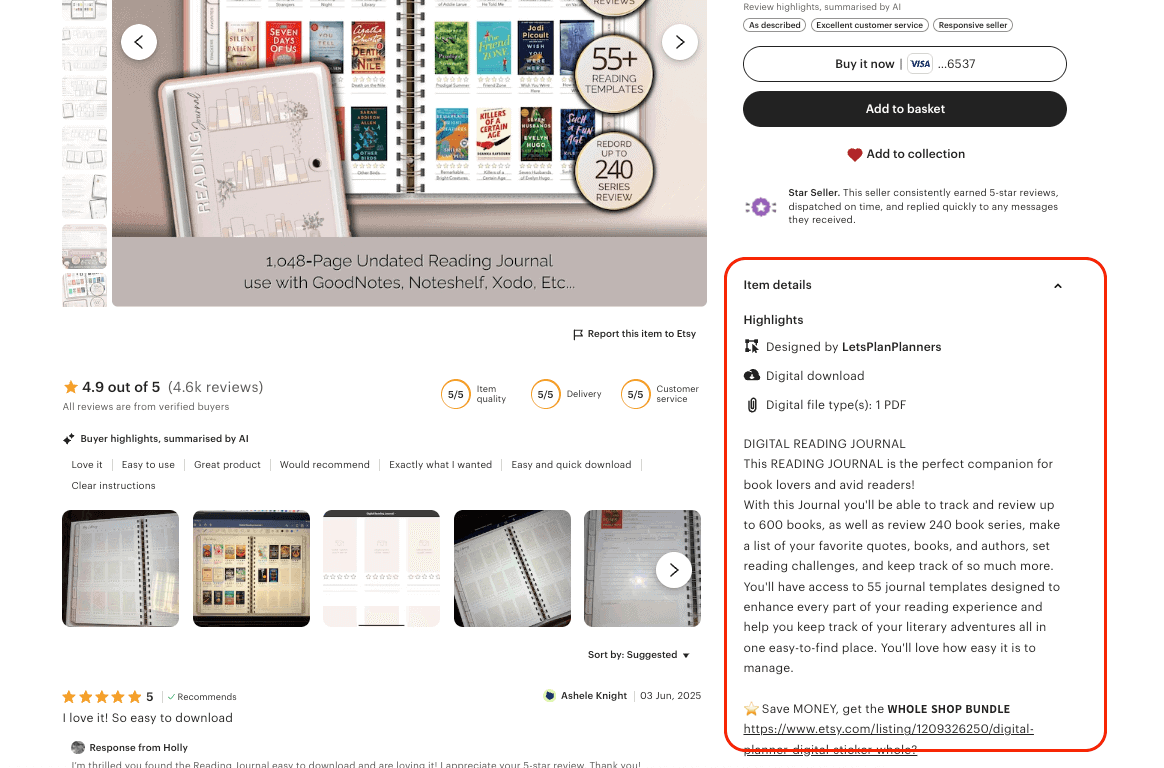
Etsy is a search engine, so your listings need to be both findable and convincing. Here’s how to make sure your listings show up in search results and grab your customers’ attention.
Title
The title is one of the most important parts of your listing. It needs to be clear and keyword-rich. Think about the phrases your target customers would use when searching for your product. For instance, instead of a vague “Printable Homeschool Resources,” something more specific like “Homeschool Printables for Kindergarten” will work better for Etsy’s search algorithm.
Make sure to place your most important keywords at the front of the title, and use dashes or commas to separate different ideas. This will make it easier for Etsy to categorize, while also making your title more readable for humans.
Description
Your description is where you really sell the product. Start strong with a brief, enticing summary — what’s the key benefit? Why is this product going to solve your customer’s problem or make their life easier?
Next, get into the specifics:
- What’s included in the product?
- If it’s a digital item, make it clear that nothing physical will be shipped.
- Provide clear instructions for using the product, if applicable (especially for editable templates or printables).
Finally, end with a call-to-action. Encourage buyers to favorite your shop, sign up for your email list, or browse your other listings. A simple but effective call to action can keep your shop top of mind for future purchases.
Tags
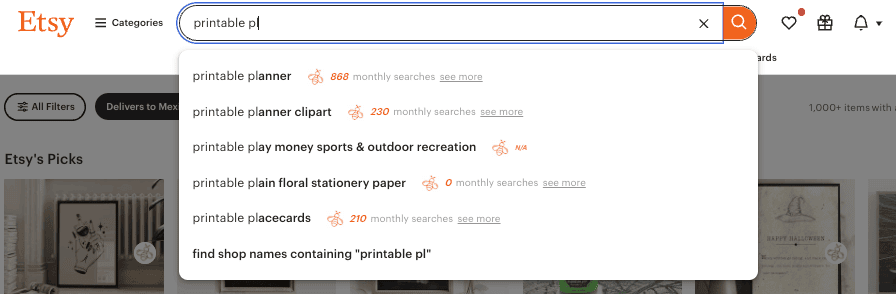
Tags are your opportunity to add even more relevant keywords to your listing, so use all 13 slots Etsy gives you. Think about different ways your customers might search for your product. For example, if you’re selling digital planners, you could include tags like “printable planner,” “planner template,” “undated planner,” and so on.
To get the best keywords, consider using a tool like Everbee, which shows you the actual search data behind the keywords. Don’t forget about long-tail keywords — phrases with 3 or more words — which are often more specific and less competitive.
8. Make Your Images Click-Worthy
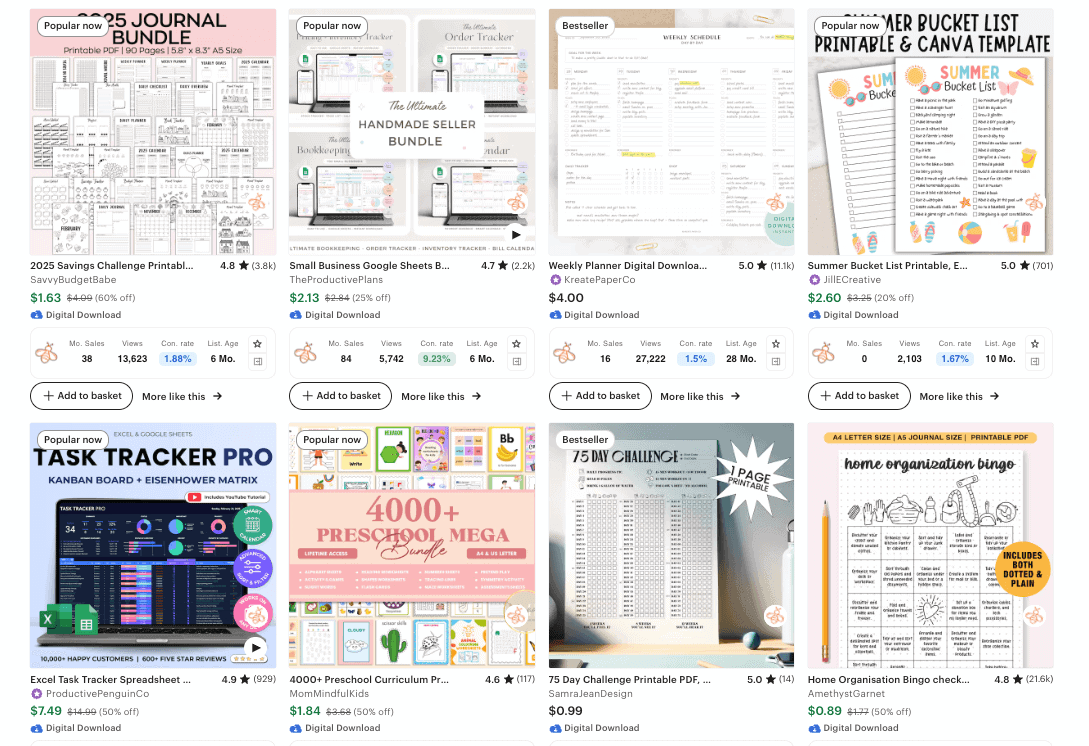
Images are everything on Etsy. Your product thumbnails are your first impression, and if they don’t stop the scroll, your listing won’t get clicked. In a crowded marketplace, you need your visuals to stand out.
Use Clean, On-Brand Graphics
Make sure your images are clean, professional, and on-brand. This doesn’t mean you have to be a graphic design pro, but it does mean you need to use good-quality photos or mockups that showcase your product in the best light. Think simple, clear, and engaging.
If it makes sense for your product, include styled shots — think lifestyle photos that show your product being used in real life. For example, if you’re selling printables, show them in a real setting, like a desk or schoolroom. If you’re selling planners, show someone writing in it or using it. These types of photos help your customer visualize themselves using your product.
Text on the Image (If It Helps)
Sometimes, adding text on the image can help clarify what your product is, especially for digital downloads. A clear label like “Editable Planner Template” or “Instant Download” can give the shopper exactly what they need to know in a split second. Just keep the text minimal — you don’t want to clutter the image.
Add a Short Video
Videos are key to boosting your listing’s visibility. Etsy gives preference to listings with videos, so uploading a short video can increase your chances of getting seen. The video doesn’t need to be fancy; a quick walkthrough or a simple animated Canva demo showing your product in action will do wonders. This makes your listing feel more interactive and personal, helping buyers connect with your product.
Keep It Mobile-Friendly
Over 70% of Etsy traffic comes from mobile devices, so make sure your images are mobile-friendly. Ensure the text is readable on smaller screens and that your visuals are clear even when shrunk down. This is especially important for thumbnails, which are what shoppers will first see in search results.
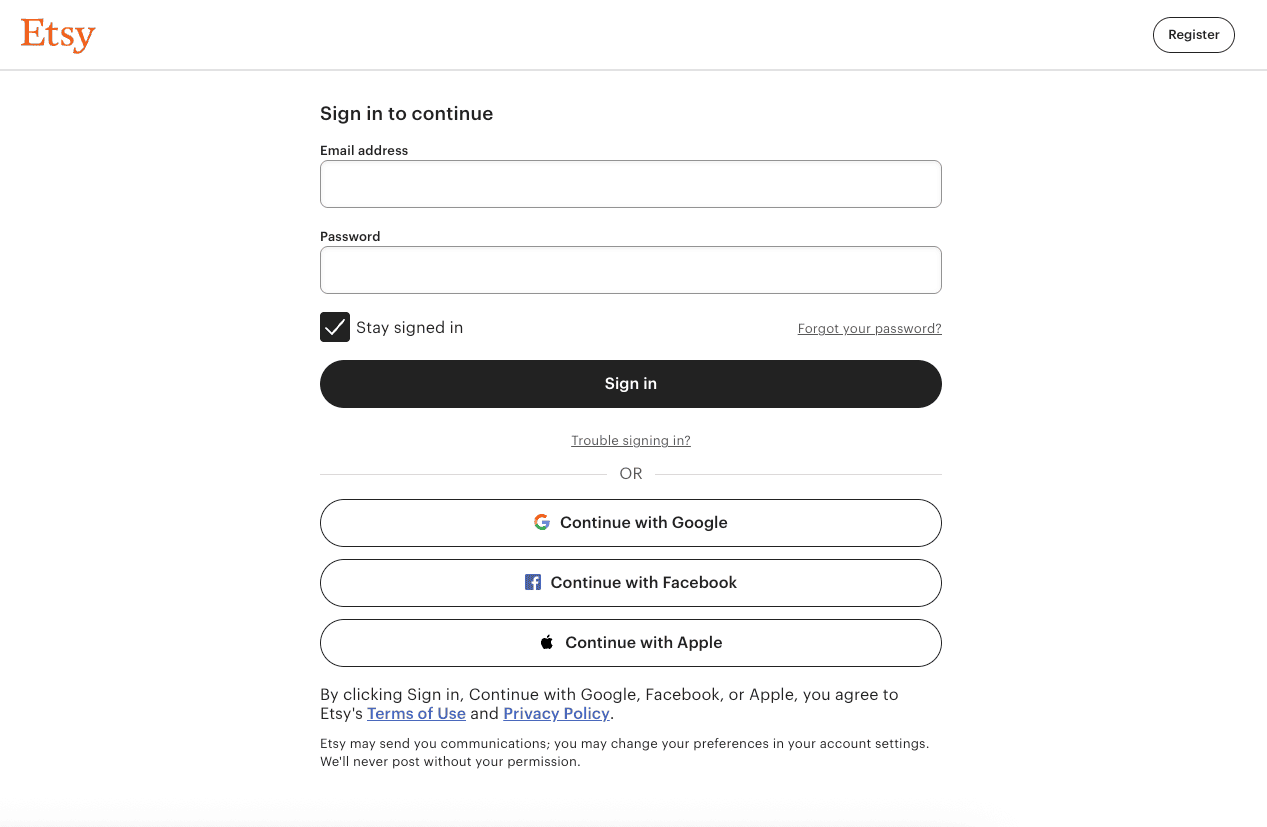
9. Sign Up for Etsy
Before uploading your products, you’ll need to set up your Etsy shop. Here’s how:
Create an Etsy Account
Visit Etsy’s website and click “Sign Up” to create your account. Follow the instructions to set up your shop, including choosing your shop name and setting preferences.
Pay the One-Time Shop Set-Up Fee
Etsy charges a one-time, non-refundable shop set-up fee of $15 USD. This fee helps Etsy invest in support for new sellers and enhanced security checks. You’ll be prompted to pay this fee during the shop setup process.
Verify Your Identity
As part of the setup, Etsy requires new sellers to complete an identity verification process. You’ll be asked to upload a photo ID (like a driver’s license or passport) and take a selfie using your computer or phone. Etsy partners with Persona, a third-party company certified to the highest industry standards for security, to handle this process.
Set Up Payment and Billing
After completing the identity verification, you’ll need to enter your payment information to receive your earnings and set up billing to pay Etsy fees. Etsy accepts various payment methods, including credit and debit cards.
Once you’ve completed these steps, your shop will be ready to start uploading products!
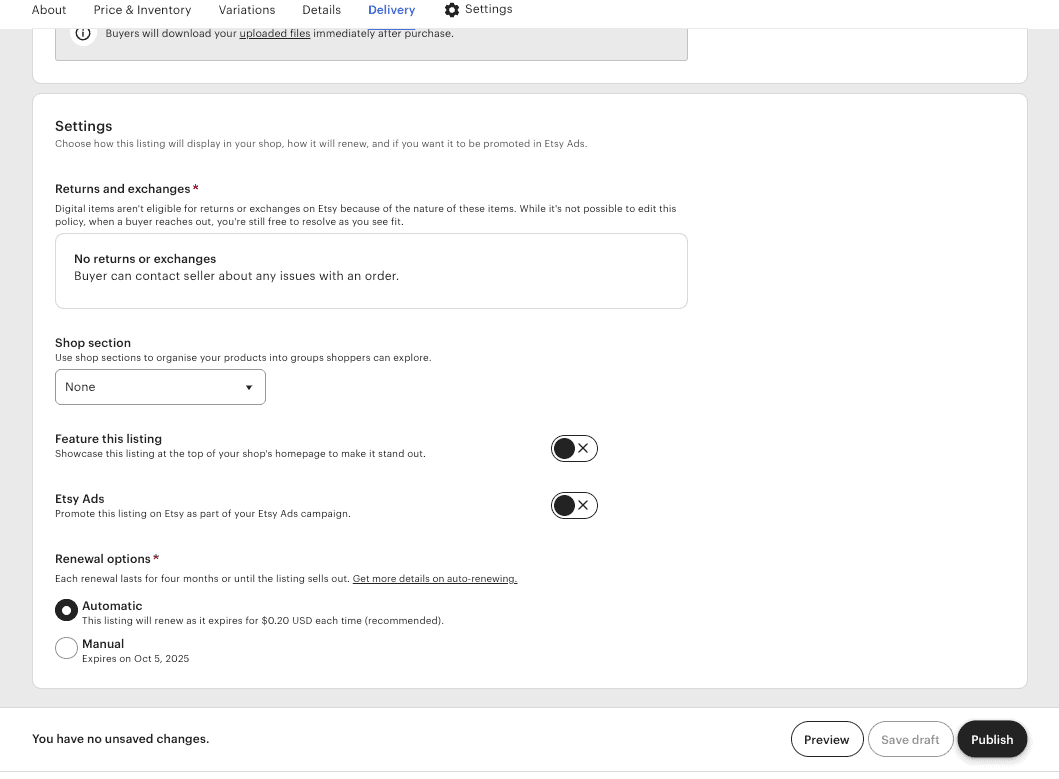
10. Upload Everything
You’ve done the hard work — now it’s time to get your shop live and ready for customers! This is where all your prep comes together, so let’s make sure everything is in place before you hit publish.
Log in to your Etsy dashboard and start uploading your listings one by one. For each product, you’ll need the following:
- A title: Make sure it’s clear, keyword-rich, and accurately describes the product.
- The correct category: Etsy has a lot of categories — choose the one that fits your product best.
- Images (and optional video): Upload your high-quality product images, and don’t forget about adding a video if you’ve made one.
- Your description: Copy and paste your polished product description, making sure it’s clear, concise, and on-brand.
- Pricing and quantity: For digital products, set the quantity to 999 to avoid running into inventory issues.
- The product file or your deliverable PDF: If it’s a digital product, upload the actual product file (or use your deliverable PDF link if you’re hosting the files elsewhere).
- Shipping info: For digital products, you can skip this section since no physical shipping is involved.
- All 13 keyword tags: Make sure to fill out all 13 tag slots with relevant keywords that describe your product and will help people find it.
If you’ve done the prep work, this should be a simple, plug-and-go process. The key here is to double-check everything before hitting publish. Ensure all your details are consistent, your images are high-quality, and your keywords are on point. Once you’re happy with everything, hit Publish and let your shop shine!
11. Publish Consistently
Don’t upload all your listings at once and then disappear. Etsy rewards consistent activity, and the more active your shop is, the better your chances of showing up in search results.
Instead of dropping all your listings on day one, space them out. Aim to publish one listing a day (or every couple of days). While Etsy doesn’t allow you to schedule posts in advance, you can save your listings as drafts and publish them manually on your schedule. It’s an easy way to maintain a consistent presence without feeling rushed or overwhelmed.
Also, keep adding new products regularly. And don’t hesitate to refresh old listings — Etsy treats updates as new activity, which can give your products an extra visibility boost.
This doesn’t have to be a full-time hustle. Just show up consistently — and with time, the growth will follow.
You don’t need a business degree, a massive following, or a background in design to start an Etsy shop. What you do need is a plan.
By focusing on your niche, building a cohesive brand, creating your products in batches, and showing up consistently, you’re doing more than just opening a shop — you’re laying the groundwork for a sustainable business.
No, it’s not magic. No, it’s not truly passive. But if you’re ready to put in the effort up front, starting an Etsy shop can be one of the smartest steps you take toward building long-term income.
So take a moment to go back through the steps, get everything in place, and hit publish.
You’ve got this.
Final Thoughts: Starting an Etsy Shop Isn’t Hard — But It Does Take Strategy
You don’t need a business degree, a massive following, or a background in design to start an Etsy shop. What you do need is a plan.
By focusing on your niche, building a cohesive brand, creating your products in batches, and showing up consistently, you’re doing more than just opening a shop — you’re laying the groundwork for a sustainable business.
No, it’s not magic. No, it’s not truly passive. But if you’re ready to put in the effort up front, starting an Etsy shop can be one of the smartest steps you take toward building long-term income.
So take a moment to go back through the steps, get everything in place, and hit publish.
You’ve got this.